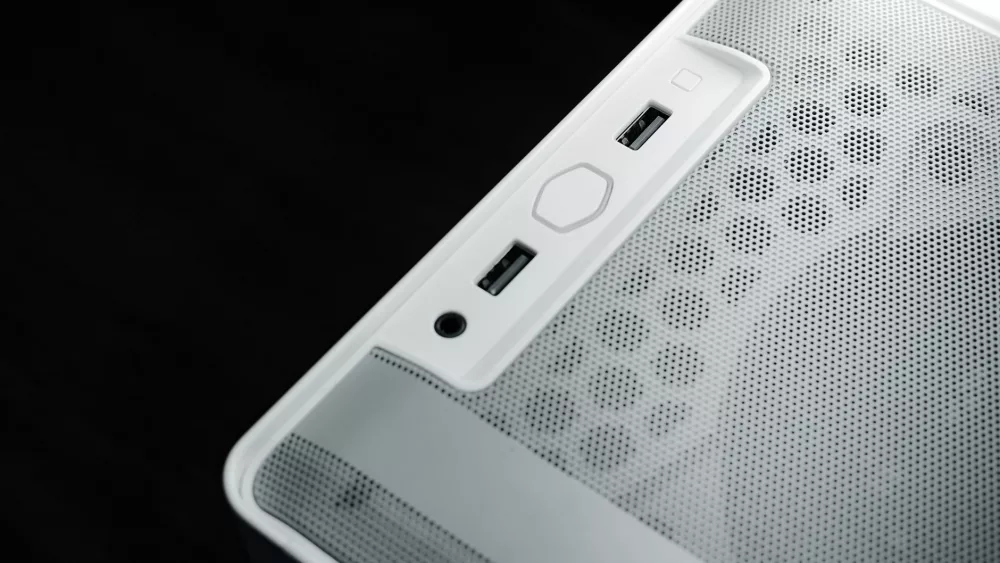
You know, when I first got into PC building, it seemed like every case out there was just a variation on a tall, rectangular tower. But then I started seeing these really unique cube PC cases pop up, and honestly, my curiosity was immediately piqued. They're such a departure from the norm, offering a different kind of aesthetic and, as I've learned, a very different building experience. If you're tired of the same old tower design and you’re looking for something that stands out, or maybe you just need to optimize your desk space, a cube case might just be your next favorite thing. Let's really get into what these interesting enclosures are all about.
What Even is a Cube PC Case?
So, what exactly am I talking about when I say 'cube PC case'? Well, it's pretty much what it sounds like! These cases are designed to be much wider and shorter than traditional towers, giving them a more squat, cube-like footprint. Instead of having components stacked vertically, many cube designs arrange things horizontally or in separate compartments. This often means your motherboard lies flat, and other components might be placed alongside or above it in different sections. It's a clever way to re-imagine the internal layout of a PC, and I've found it can lead to some surprisingly effective results.
The Allure: Why I'm Drawn to Cube Cases
There are a few compelling reasons why I think cube cases have garnered such a loyal following. It's not just about looks, though that's a big part of it.
- Space Efficiency: For me, this is huge. If you’ve got a smaller desk or you just don’t want a towering monolith next to your monitor, a cube case can be a godsend. They take up less vertical space, which can make your setup feel much cleaner and less imposing. I’ve had builds in cubes that fit perfectly where a mid-tower simply wouldn’t.
- Unique Aesthetics: Let’s be real, a cube PC just looks cool. It’s distinctive. They often have a more industrial, compact, or even minimalist vibe. I love that you can find them with huge tempered glass panels that really show off your components in a different light, or with solid panels for a stealthier look. They're a conversation starter, that's for sure.
- Potential for Better Cooling: This might sound counterintuitive given their compact nature, but many cube cases excel at thermal management. Because components can be laid out differently, often separating the GPU and CPU into different thermal zones, you can get really efficient airflow. I’ve seen some excellent temperature performance in cube builds, especially when you use large, slow-spinning fans. It's not uncommon to have direct airflow paths for heat-generating parts.
- Easier Building (Sometimes): I know, I know, some might disagree, but hear me out. With a wider internal space and often removable panels on multiple sides, accessing different parts of the motherboard or installing large components can actually be less fiddly than cramming your hands into a narrow tower. I’ve found that my hands have more room to maneuver, especially when it comes to CPU cooler installation or routing main power cables.
The Trade-Offs: What You Might Sacrifice
Of course, nothing in PC building is without its compromises, and cube cases are no exception. I'd be remiss not to mention these points.
- Component Compatibility: This is probably the biggest hurdle. While some cube cases can accommodate full-sized GPUs, others are quite restrictive. You really need to check the maximum GPU length, CPU cooler height, and even PSU length. I’ve definitely had to downsize a GPU or pick a specific low-profile cooler to fit into some of these cases. It’s crucial to research your components alongside your chosen case.
- Limited Expansion Slots: If you're planning on running multiple expansion cards beyond your GPU, a smaller cube case might not cut it. Many are designed for Mini-ITX or Micro-ATX motherboards, which means fewer PCI Express slots. You just don't get the same kind of expandability as a full-sized ATX tower.
- Cable Management Can Be Tricky: While building can be easier in some respects, hiding cables effectively can sometimes be a puzzle. With less depth and often fewer dedicated cable routing channels, I've had to get pretty creative with zip ties and careful planning to keep things tidy and ensure good airflow. Modular PSUs become almost essential here, in my opinion.
- Price Premium: Often, the engineering and specialized design that goes into a high-quality cube case can mean a higher price tag compared to a standard mid-tower of similar build quality. You’re paying for that unique form factor and often better materials.
Choosing Your Cube: My Personal Checklist
If you're thinking about jumping into the cube case world, here are the things I always scrutinize before making a decision.
Motherboard Support
This is your starting point. Most cube cases support Mini-ITX, and many will also take Micro-ATX. Some larger cubes can even fit a standard ATX motherboard, but those are less common. Know your motherboard size before you even look at cases.
Cooling Capacity
Are you going with air cooling or an AIO liquid cooler? Check the maximum CPU cooler height and radiator support (sizes like 120mm, 240mm, 280mm, or even 360mm). Some cube cases have fantastic fan mounting options, but it varies wildly. I always prioritize good airflow when I'm building in a compact enclosure.
GPU Clearance
This is probably the most critical dimension. Modern graphics cards can be absolute behemoths. Ensure the case can handle the length, height, and even thickness of your chosen GPU. Some cases have clever ways to mount the GPU vertically with a riser cable, which can help with clearance.
PSU Type
Will it take a standard ATX power supply, or do you need a smaller SFX or SFX-L unit? Often, the more compact the cube, the more likely you'll need an SFX PSU, which can sometimes be more expensive but are a lifesaver for space.
Storage Options
How many 2.5-inch and 3.5-inch drives do you plan to use? Make sure there are enough bays or mounting points. With NVMe SSDs becoming so prevalent, traditional drive bays are less critical for many, but it's still something to consider.
Build Quality and Materials
I really appreciate a case made from quality materials like steel, aluminum, or thick tempered glass. It just feels better to build in and lasts longer. Look at things like dust filters, feet quality, and overall rigidity. A well-built case makes all the difference.
Building in a Box: A Few Handy Tips I've Picked Up
Working with cube cases, especially smaller ones, can be a unique experience. Here are a couple of things I’ve learned:
- Plan Your Build Order: Unlike a standard tower where you can often wing it, in a cube, especially a compact one, the order in which you install components matters a lot. I usually install the CPU, cooler, and RAM onto the motherboard *before* putting the motherboard into the case. Then I install the PSU, followed by storage, and finally the GPU.
- Modular PSU is Your Friend: Seriously, if you don't have a modular power supply, get one. Only connecting the cables you need saves so much space and reduces clutter significantly. It’s almost a necessity for tight builds.
- Cable Management is Key: Even with a modular PSU, you'll need to be strategic. Use zip ties or Velcro straps to bundle cables tightly. Try to route them along the edges of the case or behind component trays where possible to keep them out of the main airflow path.
- Test Outside First: Before you button everything up, I always recommend doing a quick out-of-case test to make sure all your components are working correctly. It saves a lot of headaches if you have to troubleshoot.
Ultimately, a cube PC case isn't for everyone. If you need maximum expansion, want the absolute cheapest option, or just prefer a traditional look, then a tower might be a better fit. But if you’re like me and appreciate a compact, aesthetically pleasing, and often surprisingly capable build that stands out from the crowd, then exploring the world of cube cases is an incredibly rewarding endeavor. I truly enjoy the challenge and the satisfaction of getting a powerful system into such a unique and small footprint. They really are a cool segment of the PC building market, and I encourage you to check them out if you're looking for something different!